
How to Compare Two JSON Files Using Deluge in Zoho Creator (Step-by-Step Guide)
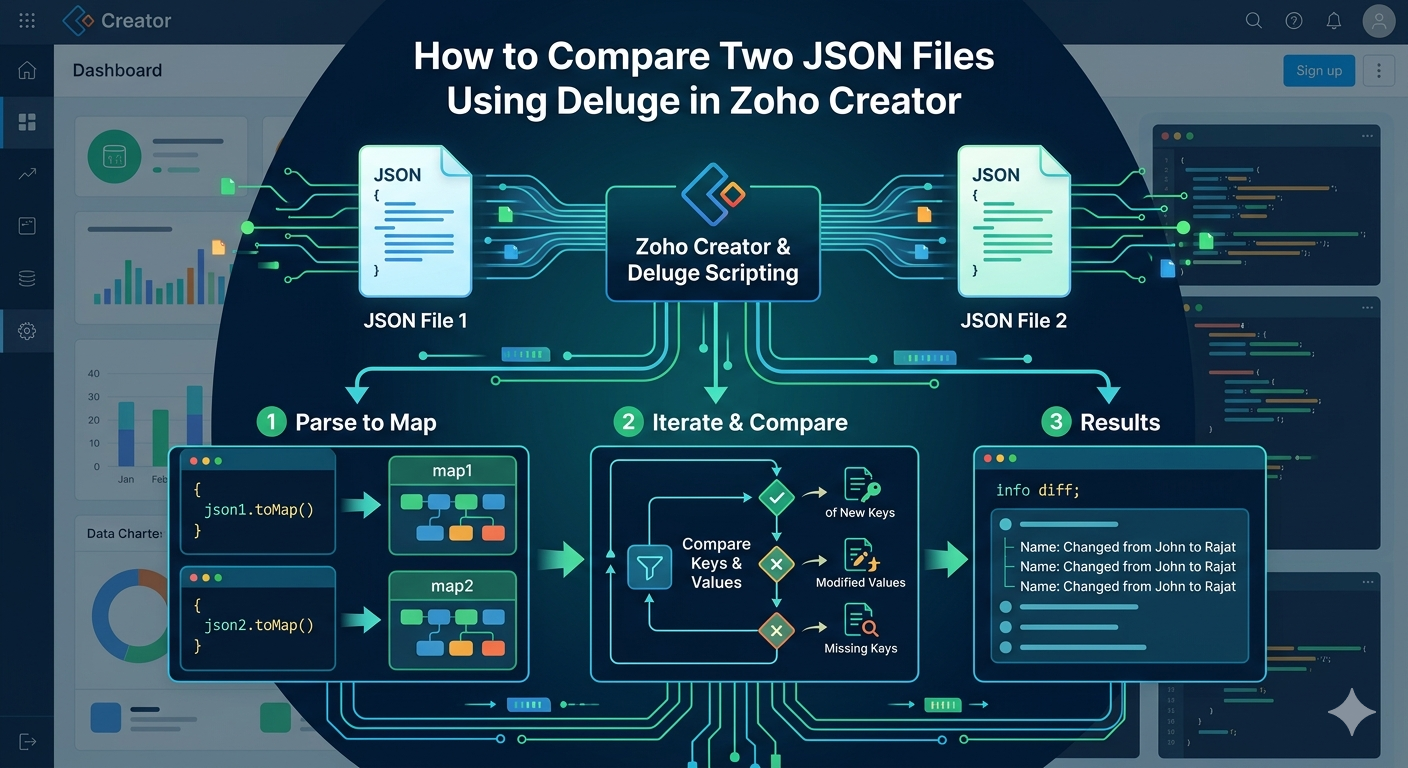
When working with APIs, integrations, or automation in Zoho Creator, developers often need to compare two JSON objects.
This situation usually occurs when:
- Checking if data has changed before updating records
- Auditing API responses
- Tracking modifications in configuration data
- Synchronizing external systems with Zoho applications
Since Deluge (Zoho’s scripting language) works heavily with JSON responses, knowing how to compare two JSON objects efficiently is an important skill for Zoho developers.
In this blog, we will learn how to compare two JSON files using Deluge, identify differences, and generate a structured output showing what changed.
Understanding the Problem
Suppose you have two JSON objects:
JSON 1{“name”:”John”,”role”:”admin”}
JSON 2 { “name”:”Rajat”, “role”:”admin” }
Here we want to detect:
- Added keys
- Removed keys
- Modified values
Expected output:
{“name”:”Changed from John to Rajat”}
This means the name field changed, while the role field remained the same.
Deluge Script to Compare Two JSON Objects
Below is the Deluge script that compares two JSON objects and detects differences.
json1 = ‘{“name”:”John”, “role”:”admin”}’;
json2 = ‘{“name”:”Rajat”, “role”:”admin”}’;
map1 = json1.toMap();
map2 = json2.toMap();
diff = Map();
// Check for modified or new keys in map2
for each key in map2.keys()
{
if(map1.get(key) == null)
{
diff.put(key, “Added: ” + map2.get(key));
}
else if(map1.get(key) != map2.get(key))
{
diff.put(key, “Changed from ” + map1.get(key) + ” to ” + map2.get(key));
}
}
// Check for removed keys in map2
for each key in map1.keys()
{
if(map2.get(key) == null)
{
diff.put(key, “Removed”);
}
}
info diff;
// {“name”:”Changed from John to Rajat”}
Step-by-Step Explanation
Let’s break down how this script works.
1. Define JSON Objects
First we define two JSON strings.
json1 = ‘{“name”:”John”, “role”:”admin”}’;
json2 = ‘{“name”:”Rajat”, “role”:”admin”}’;
These represent the old data and new data.
2. Convert JSON to Map
Deluge cannot directly compare JSON strings efficiently, so we convert them into Map objects.
map1 = json1.toMap();
map2 = json2.toMap();
Now each JSON key-value pair can be accessed like:
map.get(“name”)
map.get(“role”)
3. Create a Map to Store Differences
diff = Map();
This map will store all detected changes.
Example output:
{“name”:”Changed from John to Rajat”}
4. Detect Added or Modified Fields
Next we loop through keys in map2. for each key in map2.keys() Inside this loop we check:
If key does not exist in map1
if(map1.get(key) == null)
This means the key was added.
Example:
“email”:”Added: rajat@email.com”
If values are different
else if(map1.get(key) != map2.get(key))
This means the value was modified.
Example:
“name”:”Changed from John to Rajat”
5. Detect Removed Fields
Now we check keys that existed in map1 but not in map2.
for each key in map1.keys()
If the key does not exist in map2:
if(map2.get(key) == null)
It means the field was removed.
Example output:
“phone”:”Removed”
Example Output
Running the script produces:
{“name”:”Changed from John to Rajat”}
This means:
| Field | Status |
| name | Changed |
| Role | No Changed |
Real-World Use Cases
1. API Response Comparison
When integrating APIs, you may want to check whether data changed before updating Zoho records.
Example:
- CRM Contact Data
- Inventory Updates
- Payment Status Changes
2. Data Synchronization
When syncing data between:
- Zoho CRM
- Zoho Creator
- External ERP systems
You can compare JSON responses before updating the database.
3. Audit Logs
Developers can store differences in an audit log to track changes made by users or integrations.
Example log:
User Rajat updated:
name: John → Rajat